In the PSL admin page, you can create a watermark policy and apply it to groups or individual users.
The watermark can include any desired image, such as a company logo, and you can insert text in your preferred position,
including the user name, user account, group name, print timestamp, and IP address.
1. Access the PSL Admin page and navigate to the Watermark tab.
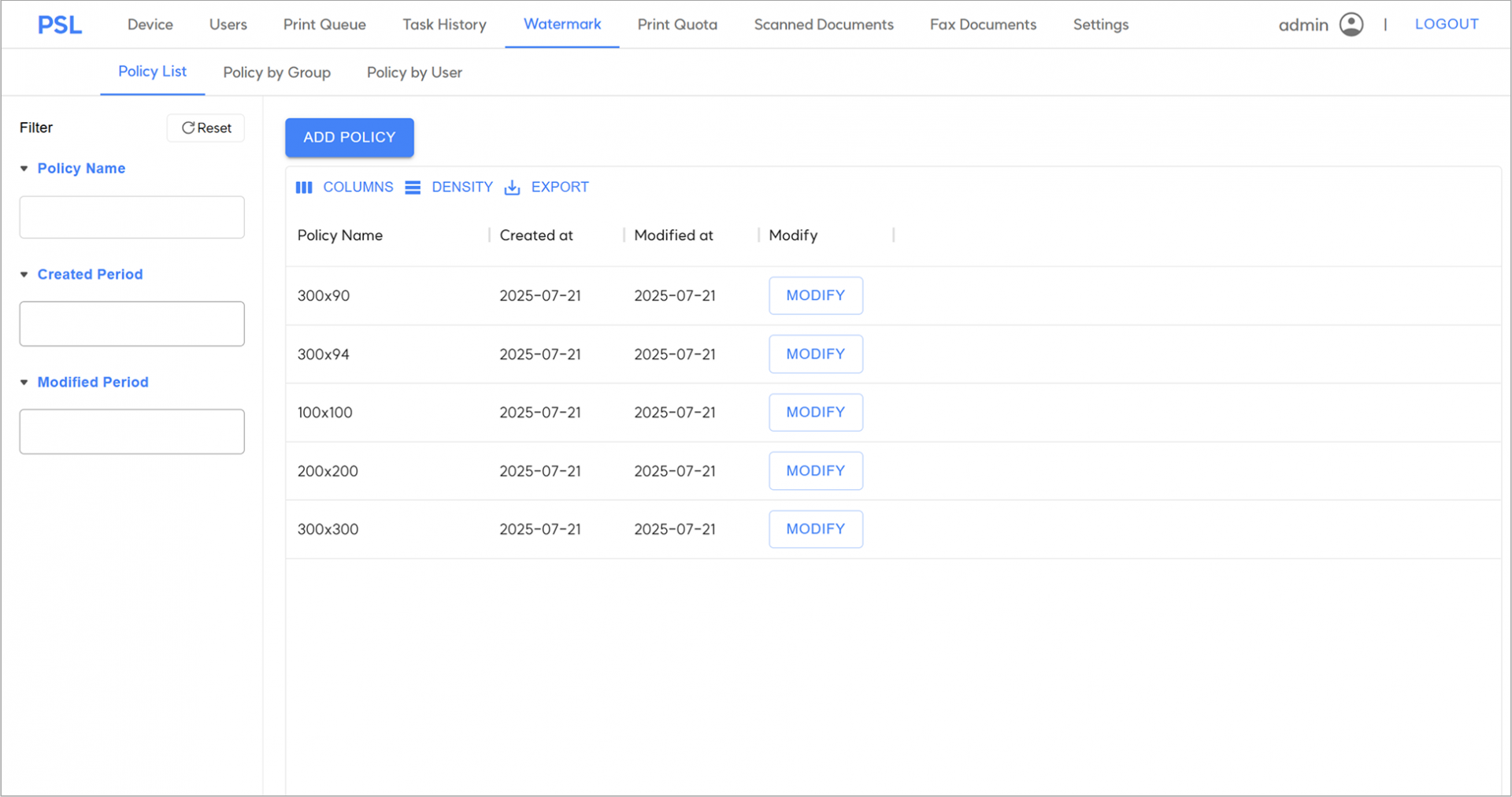
2. In the Watermark tab, click the "ADD POLICY" button to create a new watermark policy.
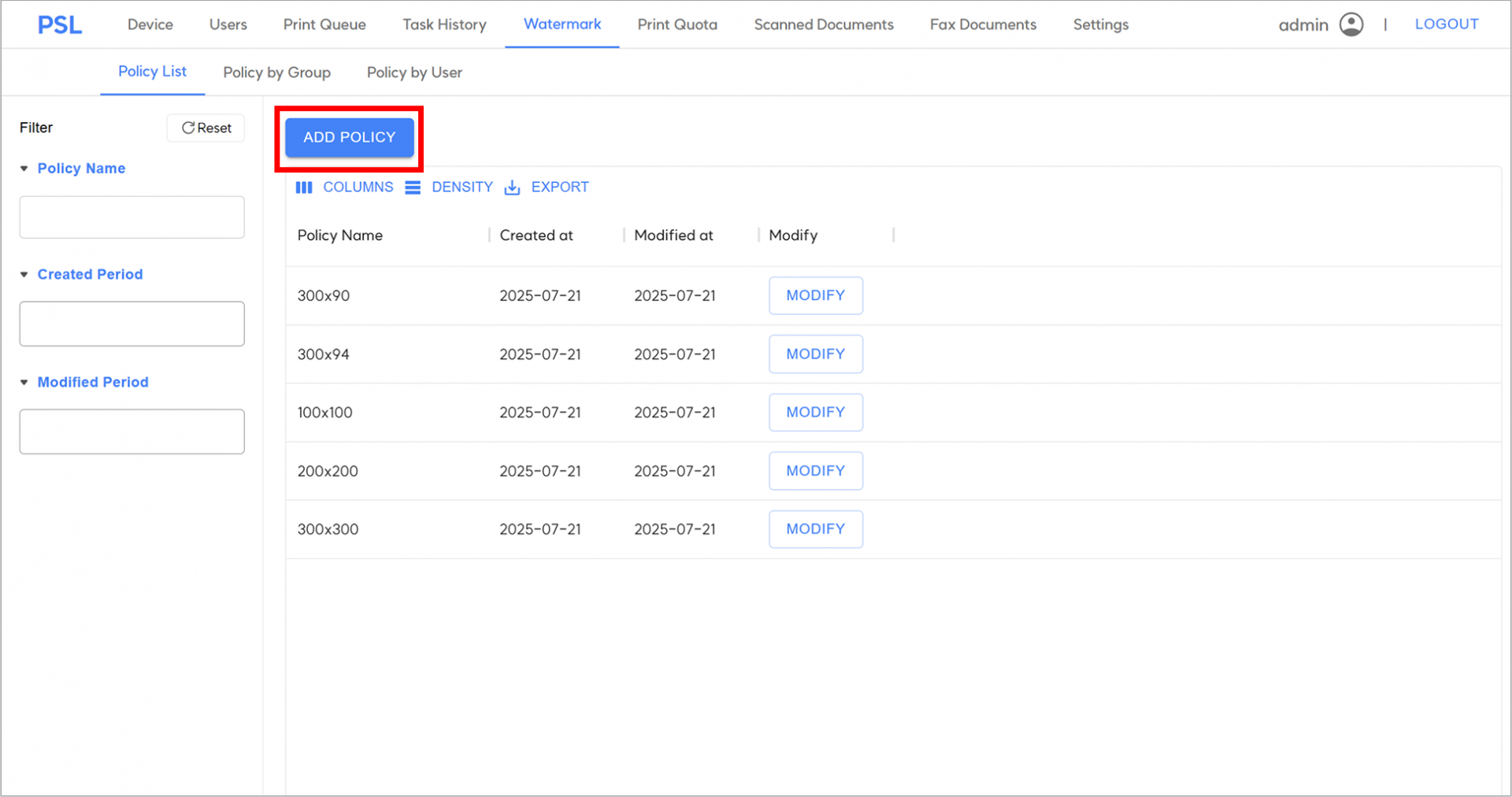
3. To create a watermark policy, enter the details according to the guide below, and then click "CREATE".
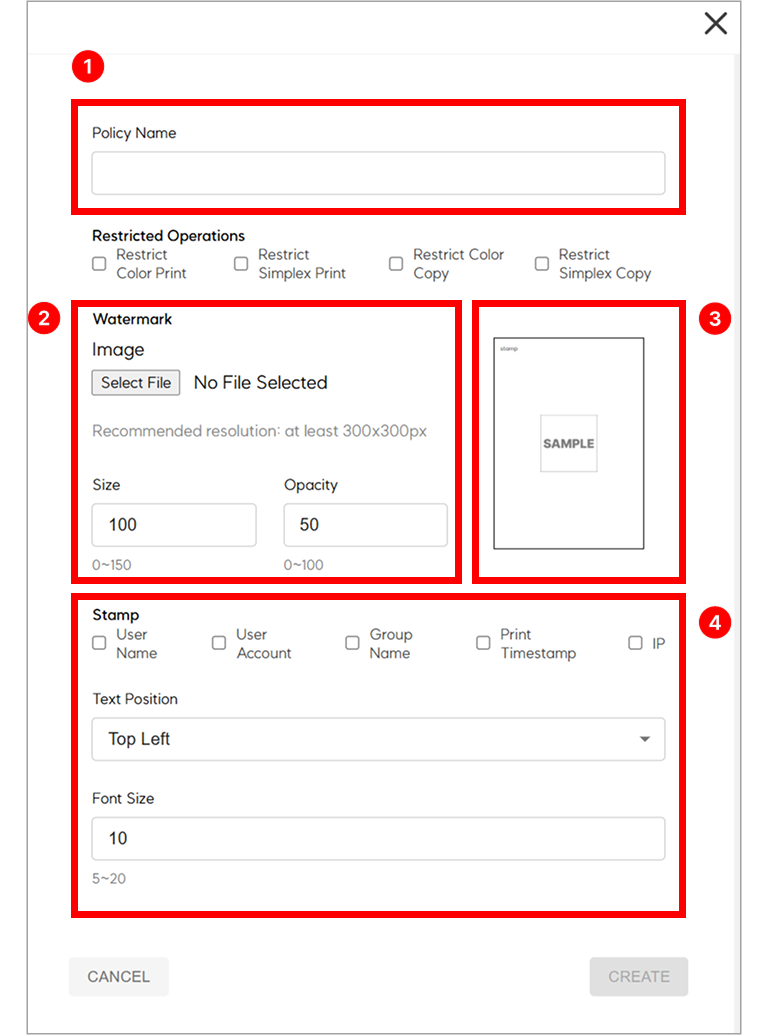
① Policy Name : Set a name to identify the watermark policy.
② Watermark Settings: Select the image to be inserted into the document by clicking Select File, and configure its size and opacity.
③ Preview : Quickly check the position, opacity, and size of the watermark image and text.
④ Text Watermark Settings : Check the boxes for the text items you wish to insert, and configure their position and size.
4. Once the watermark policy has been created, go to Policy by Group or Policy by User to set the policy to a group or an individual. Click "SET POLICY".
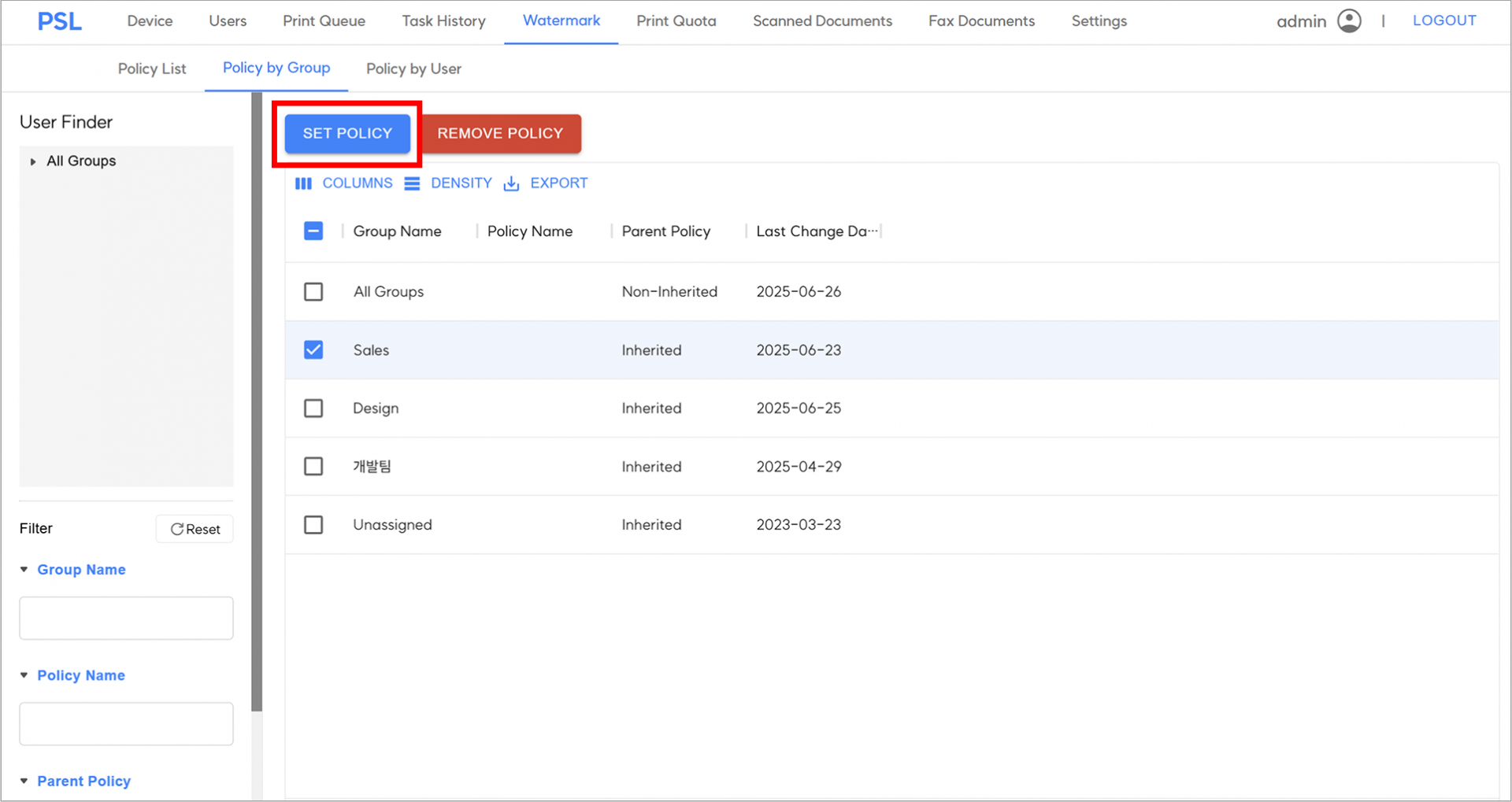
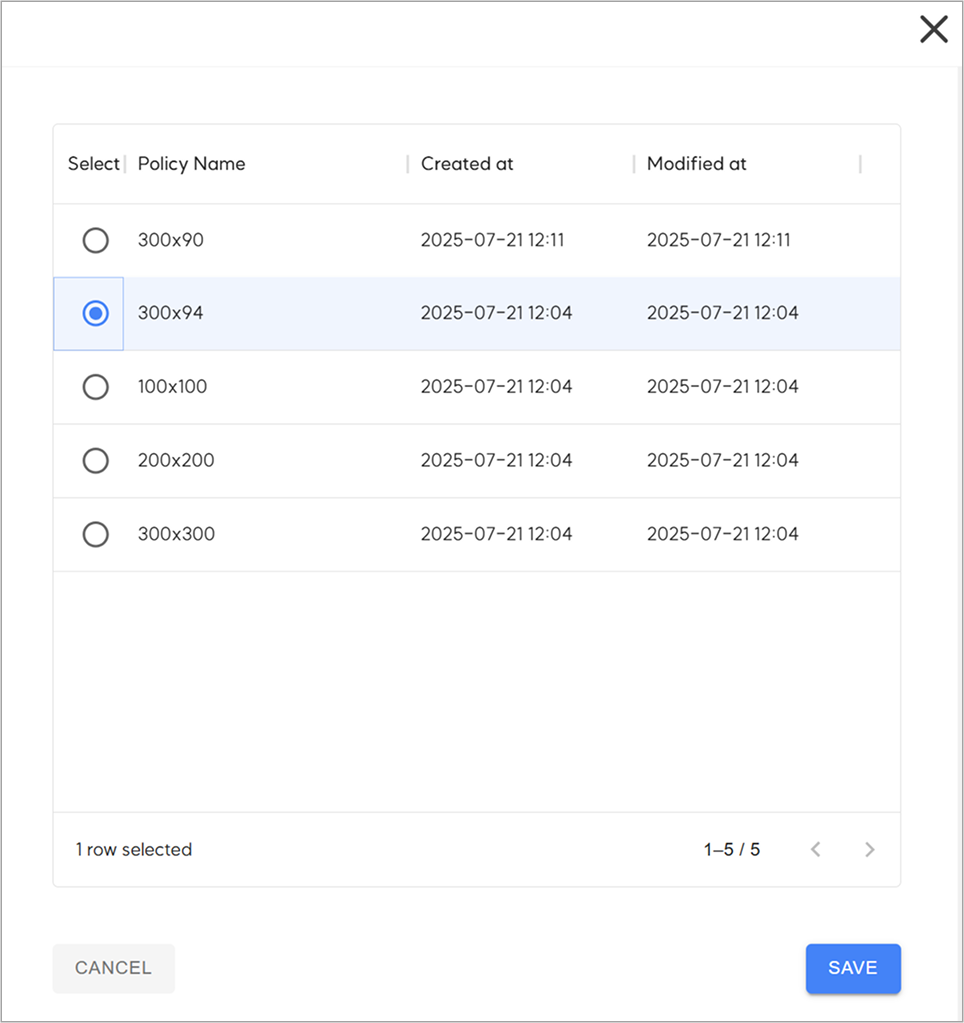
5. Select the desired policy name to set to the group or user, and then click "SAVE".
PSL’s watermark can be applied to both groups and individuals, and a policy assigned to an individual will take precedence over a group policy.
Example:
Assign Policy A to the Sales group
Assign Policy B to Jay, a member of the Sales group
Policy B, assigned to Jay individually, will take precedence over Policy A
By using this feature, you can configure separate watermark policies for specific individuals within a group.




In the PSL admin page, you can create a watermark policy and apply it to groups or individual users.
The watermark can include any desired image, such as a company logo, and you can insert text in your preferred position,
including the user name, user account, group name, print timestamp, and IP address.
1. Access the PSL Admin page and navigate to the Watermark tab.
2. In the Watermark tab, click the "ADD POLICY" button to create a new watermark policy.
3. To create a watermark policy, enter the details according to the guide below, and then click "CREATE".
① Policy Name : Set a name to identify the watermark policy.
② Watermark Settings: Select the image to be inserted into the document by clicking Select File, and configure its size and opacity.
③ Preview : Quickly check the position, opacity, and size of the watermark image and text.
④ Text Watermark Settings : Check the boxes for the text items you wish to insert, and configure their position and size.
4. Once the watermark policy has been created, go to Policy by Group or Policy by User to set the policy to a group or an individual. Click "SET POLICY".
5. Select the desired policy name to set to the group or user, and then click "SAVE".

PSL’s watermark can be applied to both groups and individuals, and a policy assigned to an individual will take precedence over a group policy.
Example:
Assign Policy A to the Sales group
Assign Policy B to Jay, a member of the Sales group
Policy B, assigned to Jay individually, will take precedence over Policy A
By using this feature, you can configure separate watermark policies for specific individuals within a group.